
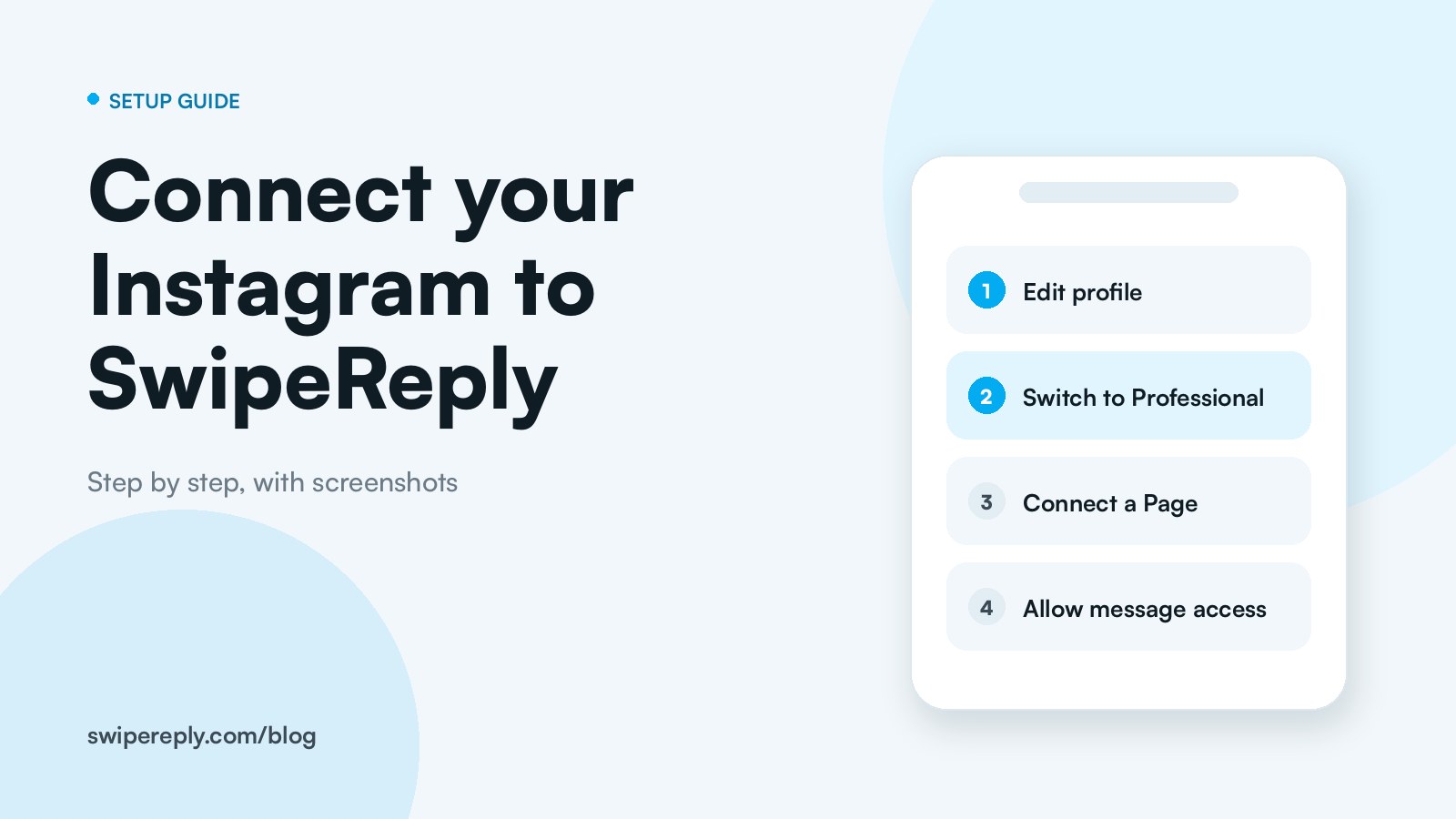
If you already own a Page, you simply need to link it to your Instagram account:
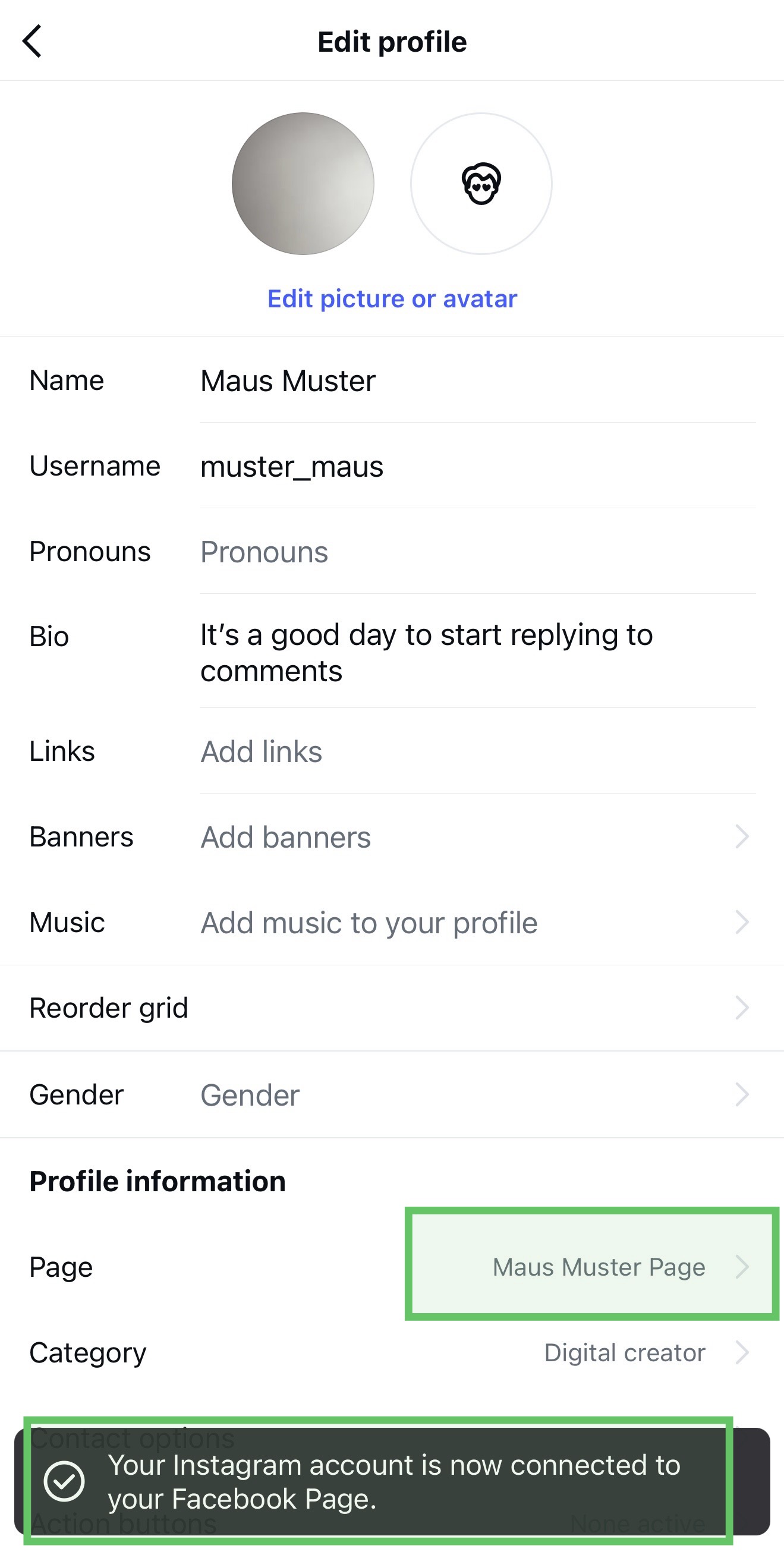
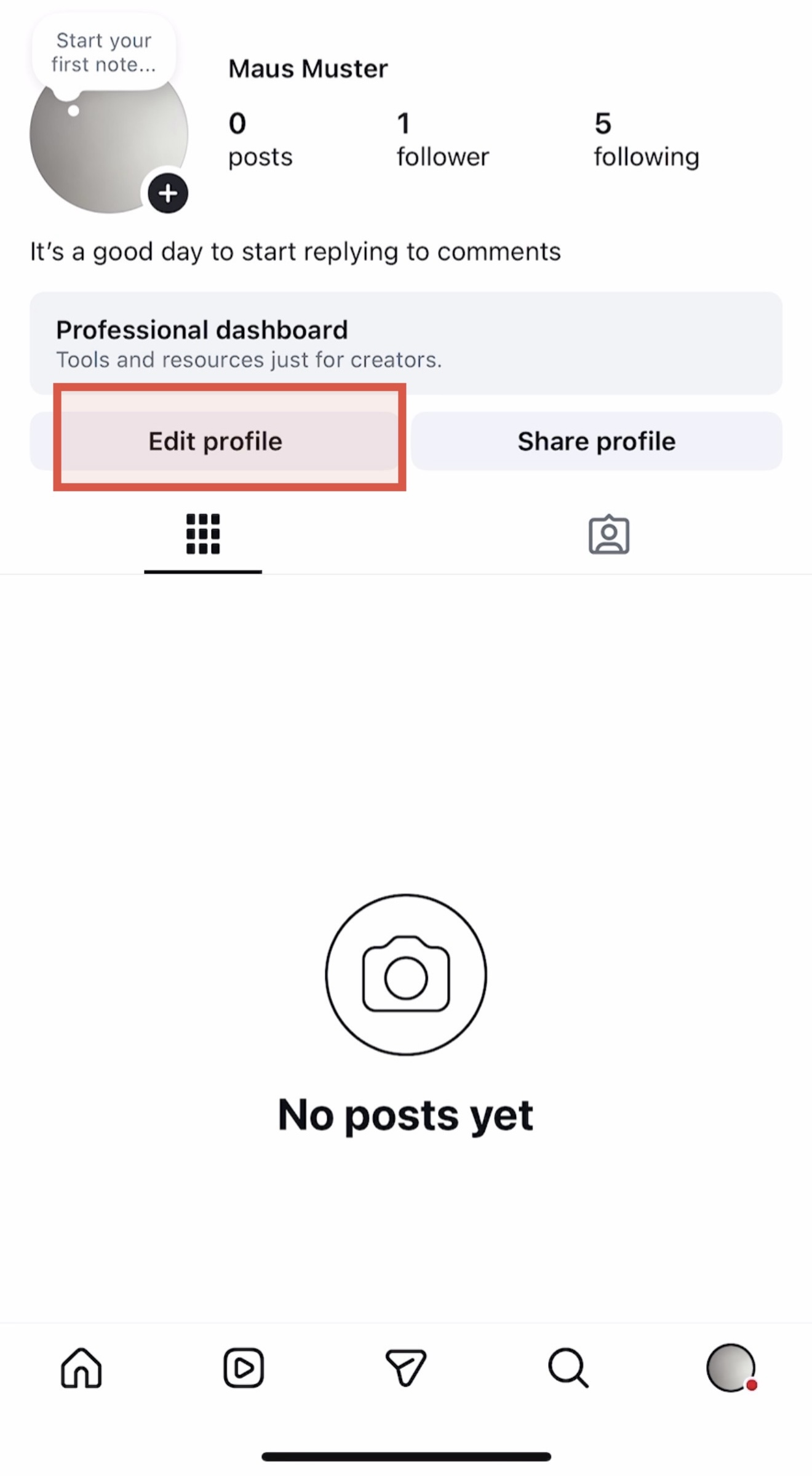
1. Go to "Edit Profile" in your Instagram App.
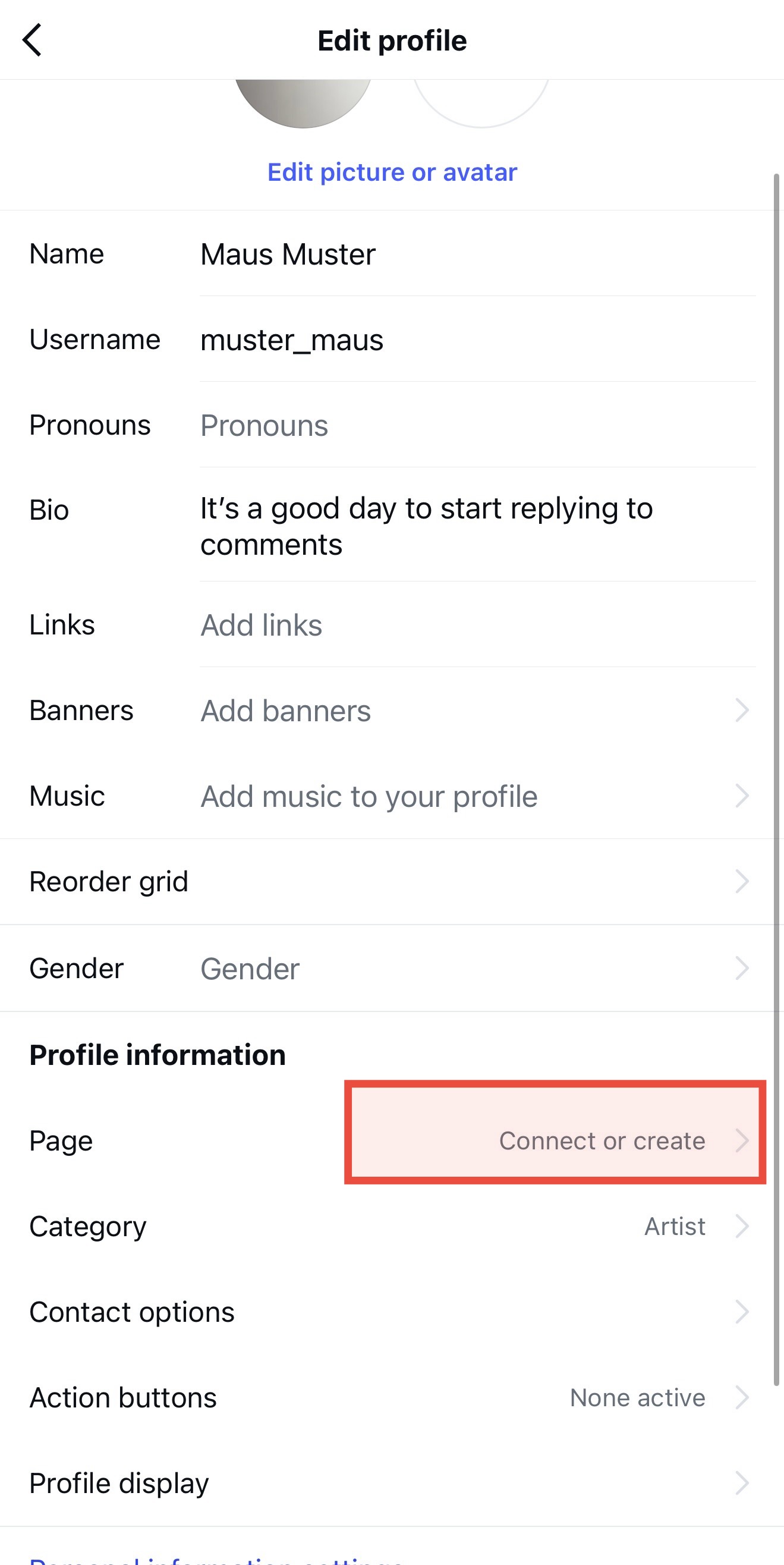
2. Tap on "Page" (or "Connect or Create").
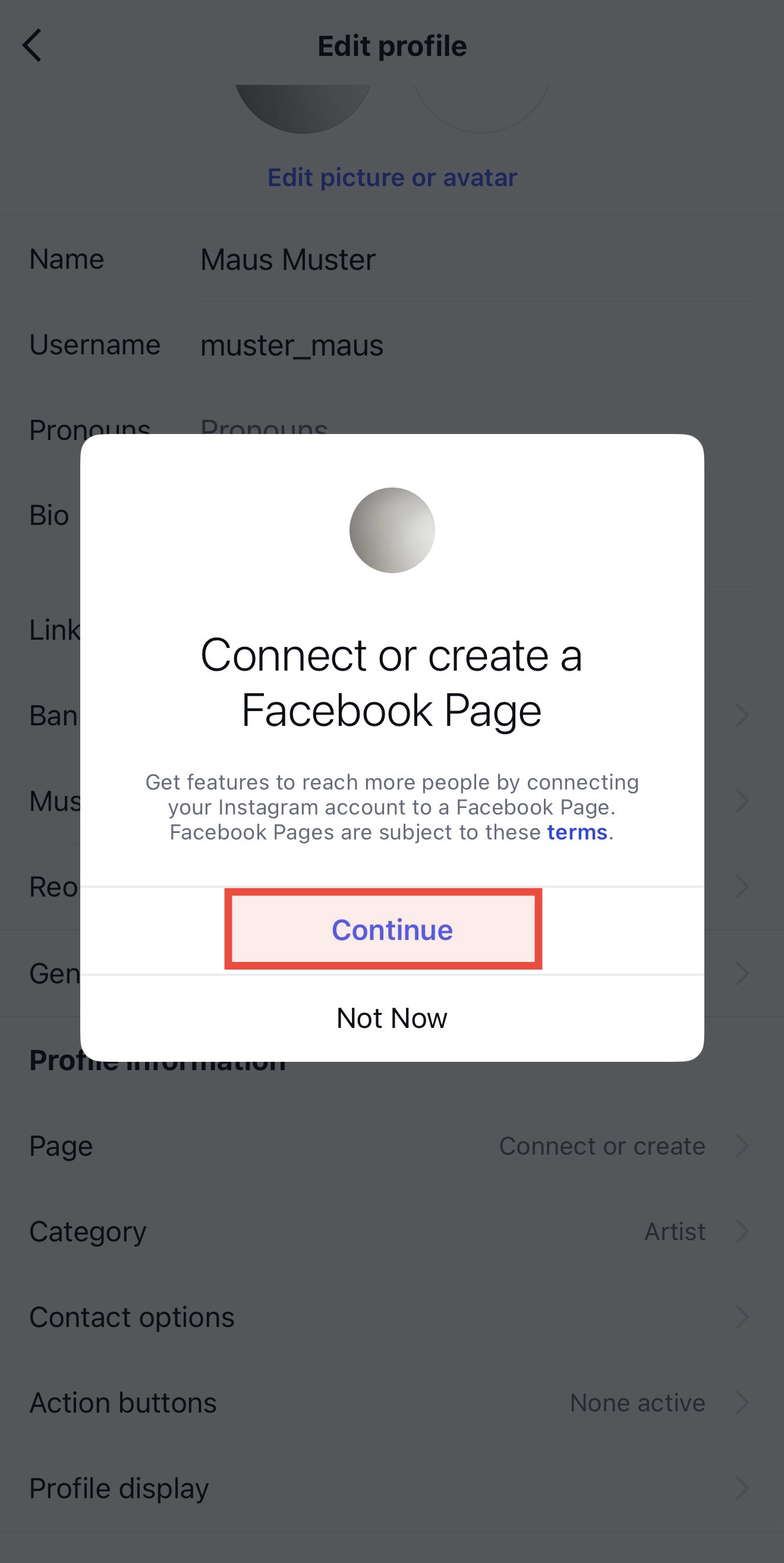
3. Follow the prompts until you can select your existing Facebook Page from the list and click on “Connect”.
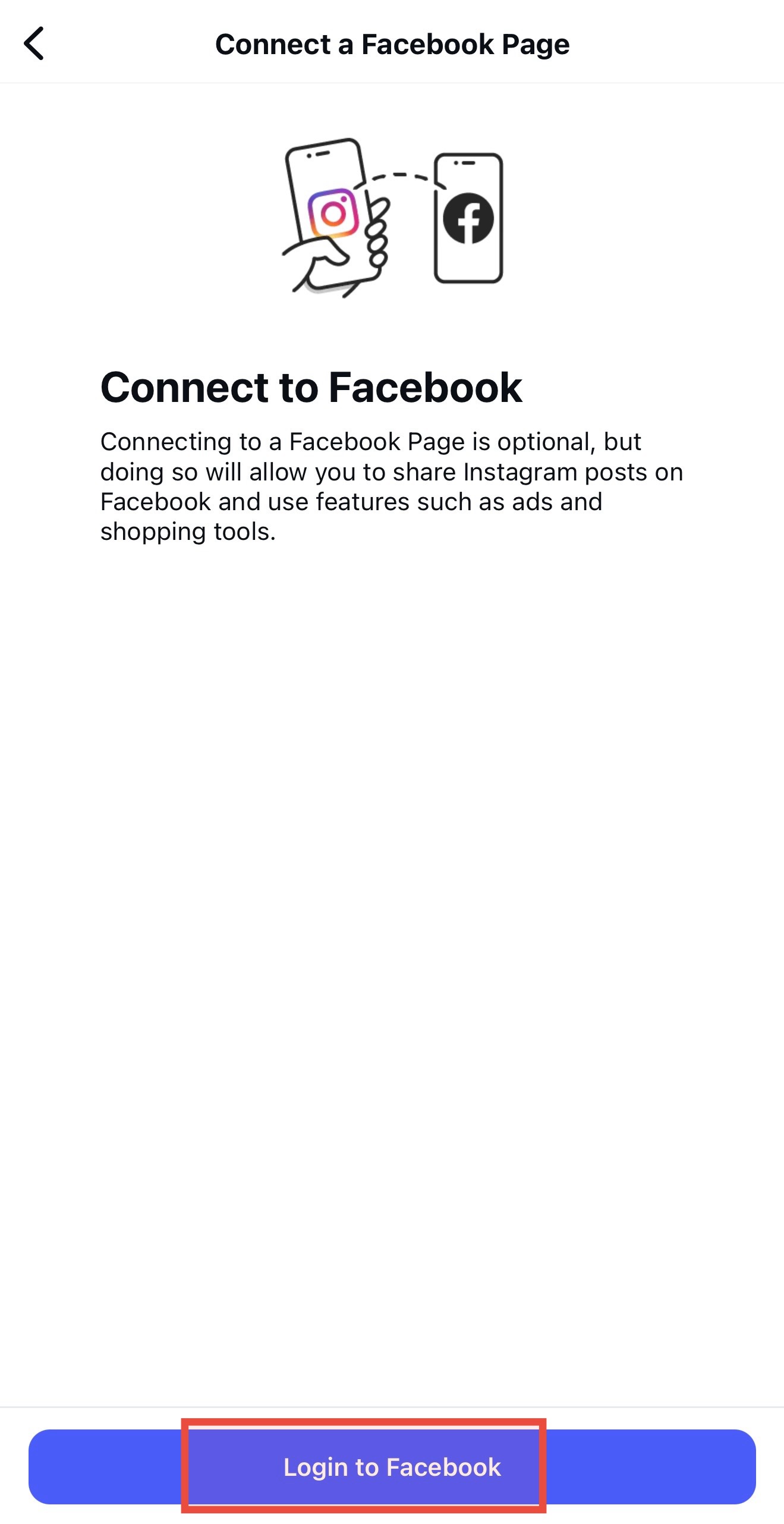
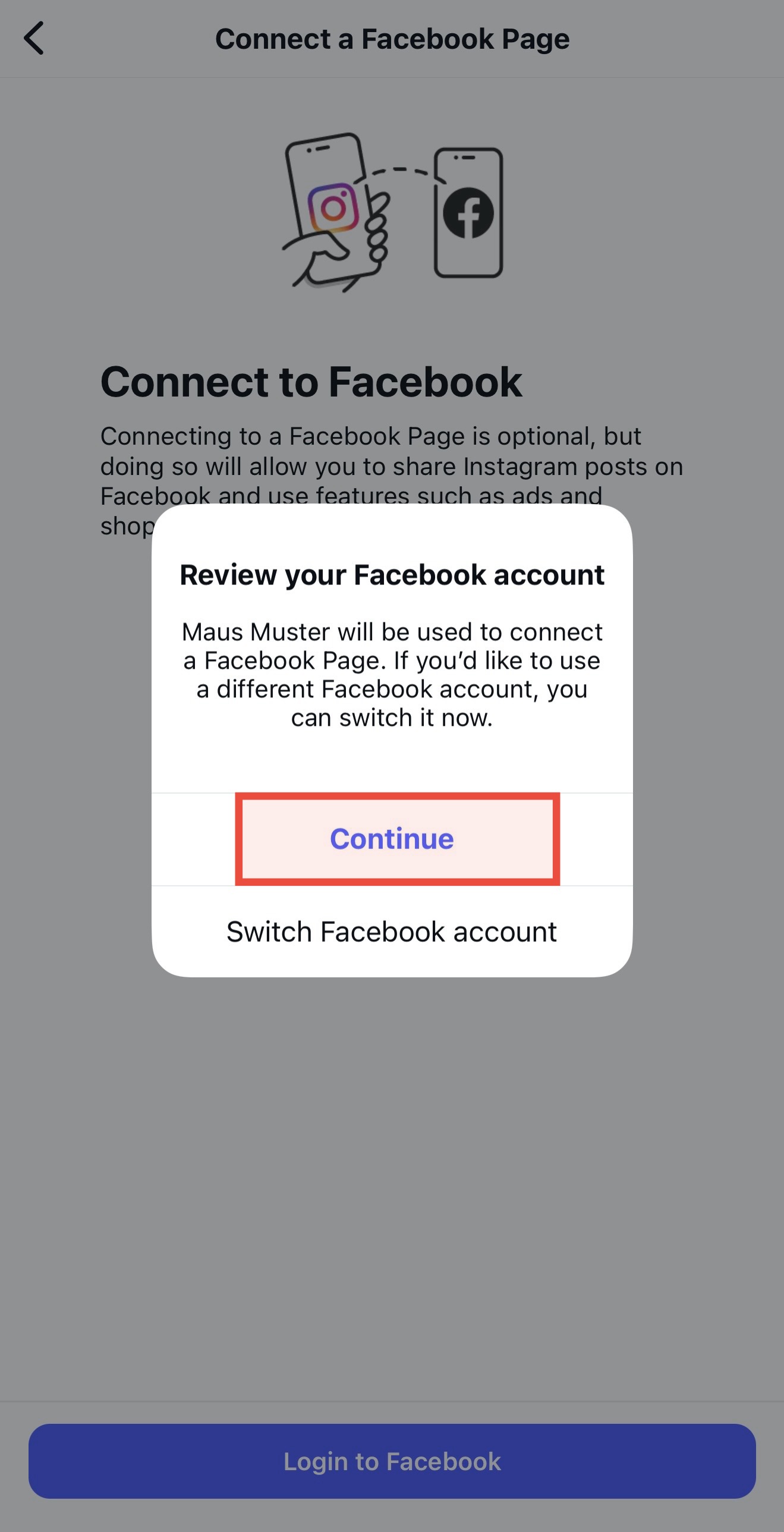
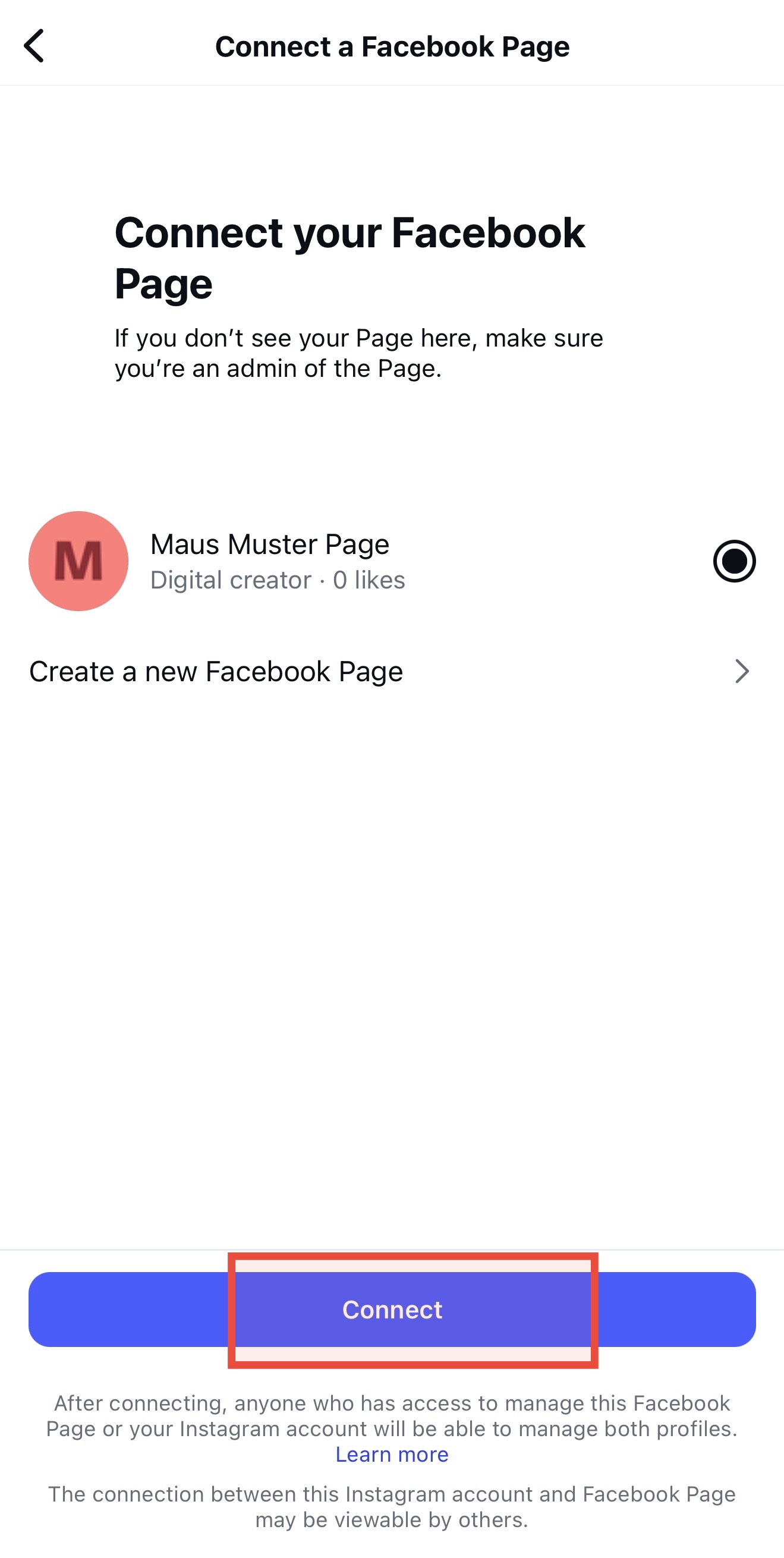
4. Check the connection, go to “Edit Profile” again, and you should see your connected page here.